April 1st may come and go with its pranks and hoaxes making you pause, but the threats don't stop there.
Cybercriminals certainly don't take a break.
Springtime marks a peak period for hackers because busy teams can become distracted and hurried, allowing nearly convincing attacks to slip past unnoticed during a busy workday.
Here are three current scams targeting not the naive, but savvy employees who are simply trying to stay on top of their workload.
As you review these examples, consider: Would everyone on your team take the time required to spot each one?
Fraud Scheme #1: Fake Toll or Parking Fee Messages
An employee receives a text alert:
"Unpaid toll fee of $6.99 detected. Pay within 12 hours to avoid penalties."
The message references real toll systems like E-ZPass, SunPass, or FasTrak relevant to the region. The small amount appears non-threatening, and amid a hectic schedule, the recipient clicks, pays, and moves on.
However, the payment link is fraudulent.
In 2024 alone, the FBI recorded over 60,000 complaints regarding these fake toll texts, with a 900% surge in 2025. Analysts uncovered more than 60,000 counterfeit websites impersonating state toll agencies — illustrating the lucrative scale of this scam. Some victims have even been located in states without toll roads.
The trick's effectiveness lies in the modest fee: $6 seems harmless, and many people have recently passed tolls or parked downtown, lending credibility to the message.
The preventive measure: Official toll providers never request immediate payment via text links. Robust organizations implement policies forbidding payments through text messages. Employees should verify by visiting the official website or app directly and refrain from replying to such texts — even to opt out — as responding confirms the number is active and invites more scams.
Ease tempts victims; strict process creates protection.
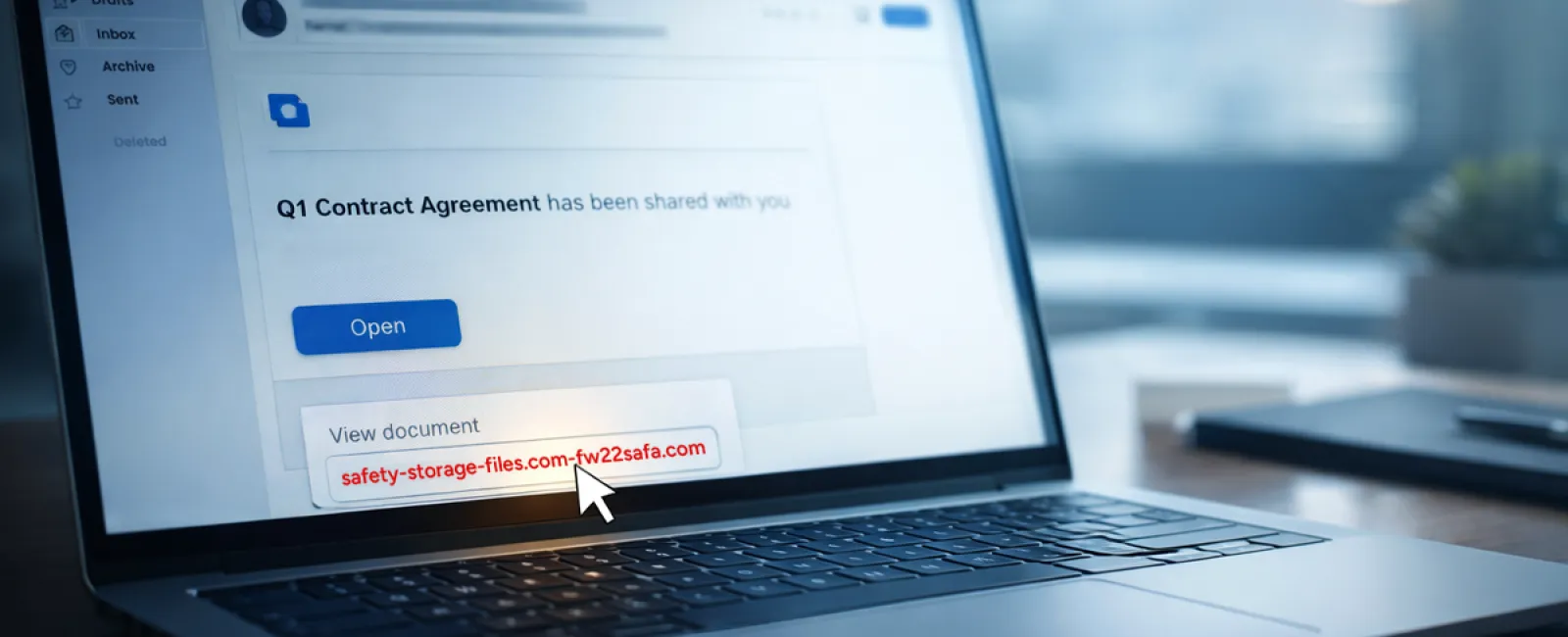
Fraud Scheme #2: "Your File Is Ready" Phishing Emails
This scam fits seamlessly into daily workflows.
An employee receives an email notifying them a document was shared — typically a contract via DocuSign, a spreadsheet from OneDrive, or a Google Drive file.
The sender appears legitimate, and the email formatting mimics authentic notifications.
Curious, the employee clicks the link, is prompted to log in, and submits their work credentials.
Now attackers have access to corporate cloud systems.
This phishing method has grown dramatically. According to KnowBe4's Threat Labs, phishing attacks exploiting trusted platforms like Google Drive, DocuSign, Microsoft, and Salesforce rose 67% in 2025. Specifically, Google Slides phishing links increased more than 200% in six months.
Alarmingly, employees are seven times likelier to click malicious links from OneDrive or SharePoint notifications than unknown emails, because these alerts perfectly mimic genuine ones.
Recently, attackers have escalated sophistication by using compromised accounts to send share notifications from credible Google or Microsoft servers, bypassing spam filters.
Effective safeguard: Train employees not to click unexpected shared file links. Instead, instruct them to log into these platforms directly through a browser to verify the file's existence. Tightening external sharing permissions and enabling alerts for unusual login activity are quick steps IT can implement to mitigate risks.
Simple vigilance delivers powerful protection.
Fraud Scheme #3: Expertly Crafted Phishing Emails
Gone are the days when phishing emails were riddled with errors and obvious giveaways.
A 2025 study revealed that AI-generated phishing campaigns achieved a 54% click-through rate — more than four times higher than the 12% for human-crafted scams. These emails are polished, referencing real companies, roles, and workflows gathered rapidly from public sources like LinkedIn.
Attackers are now tailoring scams to specific departments: fake HR and payroll verification requests, finance-targeted vendor payment redirections. One recent experiment showed 72% of employees responded to vendor impersonation emails — a 90% increase over other phishing types. These messages appear calm, professional, and urgent without alarmist language, blending naturally into the inbox.
Protective measure: Always verify requests for credentials, payment details, or sensitive data using a second method — phone calls, chat, or in-person confirmation. Before clicking, employees should hover over the sender's address to confirm legitimacy, and treat urgency as a cautionary signal.
Effective cybersecurity avoids panic and fosters thoughtful action.
The Bottom Line
These scams exploit familiarity, trust, timing, and the belief that "this will only take a moment."
The true vulnerability isn't careless employees—it's systems relying on everyone to slow down and make perfect choices in high-pressure situations.
A single rushed click disrupting your business highlights a process failure, not a people problem.
And fortunately, process weaknesses are fixable.
How We Can Support You
Most business leaders don't want to manage cybersecurity training themselves or shoulder the burden of educating everyone on what to avoid.
They just want confidence their company's protected against hidden threats.
If you're concerned about your team's exposure — or know another leader who should be — we're ready to discuss solutions.
Book a straightforward discovery call to cover:
• Current business risk trends impacting companies like yours
• Common vulnerabilities embedded in everyday work activities
• Effective, practical steps to reduce risk without disrupting workflow
No pressure, no fear tactics — just an honest conversation about minimizing threats.
Click here or give us a call at 714-369-8197 to schedule your free 15-Minute Discovery Call.
Feel free to forward this to anyone who could benefit. Sometimes awareness alone turns a "would have clicked" into a "blocked attempt."